
It makes sense to clean the registry to make it lighter by eliminating invalid items or entries that are no longer required, and that’s exactly what Registry System Wizard (RSW) does. That does not actually have anything to do with tuning Windows, but it does make a difference indirectly. On starting RSW, it displays a whole lot of Windows tweaks suggested by WinFAQ . You first have to select the version of your Windows and then change the parameters you wish to.
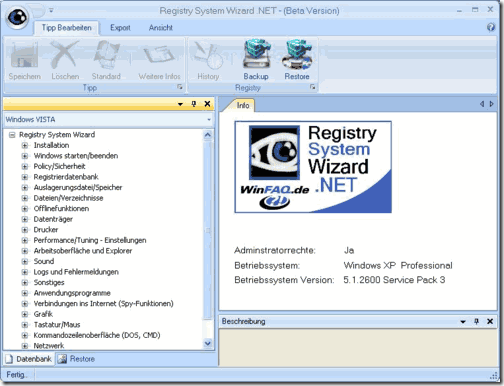
A detailed description of the selected tweak is shown in the Information window. Using RSW you can view and edit registry keys, modify the registry over the network, backup and restore the registry and search the registry using keywords.
The only drawback with this software is that it doesn’t have an English user interface. So you will have to translate the description from German to English using online translation tools before trying them out a bit cumbersome but worth trying out. It is easy-to-use and offers Network support.
Clean registry
Registry System Wizard – Clean & Fine Tune the Registry