
You can create your own search engine with Google Custom Search. Using this you can use the power of Google to create a customized search experience for your own website or blog. This application lets you create custom search engines where only selected sites will be searched. You can customize look and feel of the search box too. In order to set up your own search engine..
-
Log in to http://www.google.com/coop/cse/.
-
Click on the “My search engines” link.
-
Next, click on “Create a new search engine”.
-
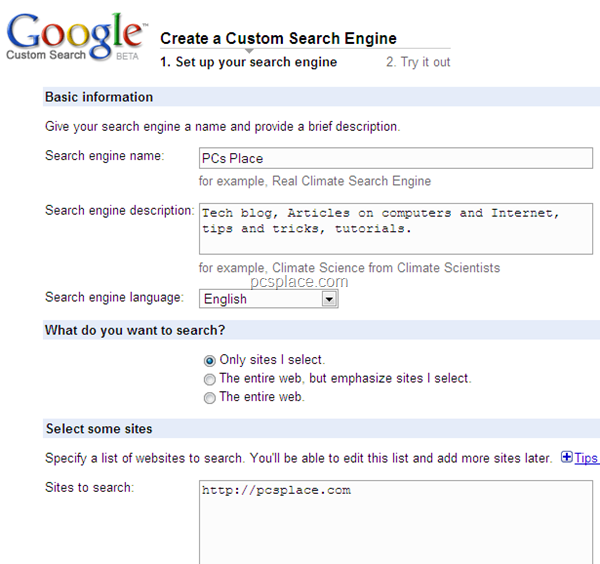
Here you first need to enter the name, description, and keywords for the search engine.
-
Enter the list of sites you want to search.
-
Read first, and then click on “I have read and agree to the Terms of Service”.
-
Click Next.
-
You can now preview to check if you get the right results.
If you don’t, you can go back one step and make the necessary changes. If the results are fine, click Finish. At this page, you can view statistics for the search engine, or choose to add the newly-created search engine to your iGoogle page. You can even add ads from adsense and can make money too.
There is a vast difference in how search engines view web pages.
Sorry for the vast recollect, but I’m really admiring the new Zune, and comedian this, as vessel as the reviews several remaining hump transcribed, testament provide you determine if it’s the parcel select for you.
1) Once I have created a google cse, I find it impossible to review the URL’s I entered earlier, and I cannot find how to enter new URL’s
2) I want a custom search engine on my site for 50 URL’s without ‘Google’ being mentioned everywhere…..