
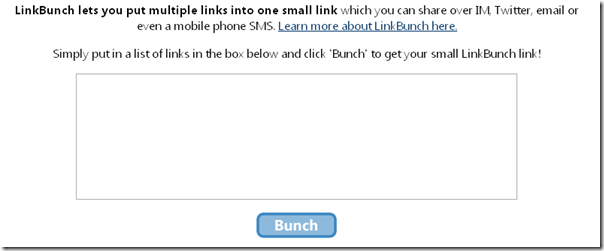
Holding several links on the same topic is always convenient for later reference. To manage all your links here is a cool site called Linkbun.ch. As the name implies, its function is to bunch all the links together. Its is very handy resource as you don’t have to remember each and every link of yours. Just add in all the links you want and it creates a simple short URL which you can share anywhere like twitter,IM,and even as an SMS.
You might’ve seen us using TinyURL or SnipURL for shortening long links. Linkbunch takes several URLs and bunches them into one single and short URL which remains active for a long period. At the homepage there’s a box where you’ve to paste all your multiple links and press “Bunch”. The key feature of Linkbun.ch lies in its “no automatic redirection” function where you can access a bunched page with lots of links. This totally eliminates the possibility of being redirected to a malicious site.
Firefox fanatics can also download the Linkbunch’s Firefox extension from http://linkbun.ch/linkbunch.xpi to bunch their links on the go. Here is the tutorial of how to use this extension. The only thing that site needs to add is editable or pre customisable links for the bunch any user wishes to create. It is a totally free site with no sign-up hassles. Here is a sleek resource and collection storage maker for Web crawlers who care for every byte from their bandwidth. Also you can share this
Also check out Nice Sharing at http://www.nicesharing.com which allows you to combine several URLs into a single URL. Completely different than link-bunch but I think for people who want to see 2 sites at a time or add background music to another website, it’s really wonderful.