
Here is an easy way to convert Text documents and web pages and PDF files to MP3 files online. A site named readthewords.com offers this service. As the domain name implies it is an online portal used to convert text to speech. In one of my previous post I wrote about one text to speech convertor VOZME you can check it out here.
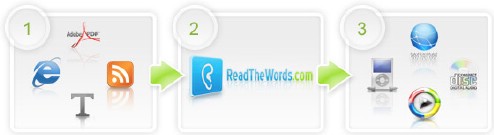
But compared to vozme readthewords.com has some benifits like
- It is used to convert any kind of text documents like powerpoints, PDF, HTML , web pages etc. Best part is that you can even convert RSS feeds into MP3’s.
- There are many options available depending on the accent and the style of speaking. For example for Indian Accent and you can hear them By selecting Nina. All in all there are 15 different readers with different accents including English , Spanish and French.
- You can control reader’s speed of reading.
You need not wait for the convertion process if you have uploaded a big file. The site will tell you by sending a mail when the convertion is completed then you can download the file. You can save the files to your desktop and also can post these in your weblog or website.
This is basically meant for the people who are having disabilities but it can be of great use for the people who wants to convert text to mp3’s frequenlty. Just sign up to access the services offered by it.
hi, I came through your site , I really don’t wanna sound like spam but hey, would you like to link my site maxamator.com, we are emerging SEO Specialists / PHP developer from India, I’ll show my link love to you from my Pr5 sites 🙂
Let me know if you are interested.
Deekay
Name: – deekay
Email: – dk@maxamator.com
imho – Absolutly unusable tool!
nice share!
Hi, great blog, would you like to exchange links? My site is http://www.xptricks.net
I’ve already added you to my blogroll!
Thanks,
Eerik