
In order to backup your Mozilla Firefox all you need is just a software called MozBackup. This is a software which helps you to backup your Firefox and other browser profiles. My Firefox stuck for no reason this morning and it failed to launch. It can be solved by uninstalling but as I had so many saved passwords and Bookmarks I came across this application.
This software is very much useful if you want to save your bookmarks, saved passwords, etc. One more special thing about this Mozbackup is that you can even restore saved profiles of Firefox.
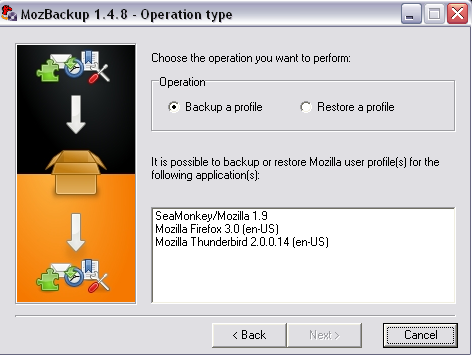
The usage of this software is very easy. All you have to do is to run the application , select your choice whether to back up or restore a profile. You have the options of choosing between Seamonkey/Mozilla 1.9 or Mozilla Firefox 3.0 or Mozilla thunderbird or Flock etc. In short you can backup and restore every Mozilla application.
Then just select the profile you want to save and the location where you want to save. That’s it and your backup is ready.
You can download it here.