
Windows is the most popular Operating System in the world. Although you use different operating systems for some reason or other you have to come to Windows XP. But the display in the Windows XP may be quite boring. How will it be if you can make it look like any other OS. Now there are transformation packs available which will satisfy your wants.
These Transformation packs will make your XP into 5 types of OS like:
- Vista
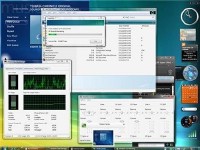
In this Transformation Pack does all kinds of appearance tweaks, and makes Windows XP look like Vista. From icons, transparency to new sounds, this pack does it all to make your XP look like Windows Vista.
Download
- Mac OS
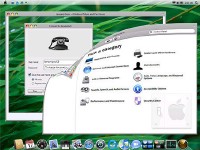
In this Transforms XP to look like Mac OS X 10.5. Some important components like Windows Explorer and other shell files are patched to mimic Mac OS X appearance. Work only with Windows XP SP2 (English version).
- Flyakite OSX
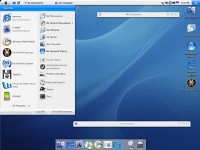
Here again, make your windows look like Mac OS X. However, it’s much more comprehensive than the above one. This enhancement utility does everything from registry tweaks, visual styles, sounds, icons to imitate the appearance of Mac OS X. See other screenshots here. If you’re using iTunes then make sure to deselect ‘iTunes Multi-Pugin’ option (under ‘Software’) in the installation wizard.
- Fedora
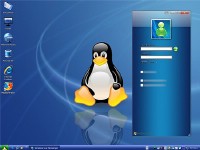
This pack will make XP resemble the Fedora Linux Distro. Though the utility just packs a simple visual style, it does include icons, screensavers and wallpapers, and other Fedora-like skins for programs.
- Ubuntu
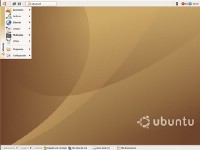
This pack contains visual styles, icons and other patches that can give the brownish Ubuntu look to Windows XP. If you just can’t get Ubuntu working on your PC, but still love its looks, you can download this pack.
So just download these transformation packs from the given links and get that look you want on your desktop. Be careful while installing and also make sure that you have a back up before you go for one of these. Happy transformation..!!
Some very fascinating factors however i believe your research and bias leaves lots to be desired. Then in fact, that’s just my opinion. Have a great day undoubtedly a thought-upsetting post.
It depends. But they do consume some resources. So If you want some cool looks for your os you should compromise on the speed of your computer.
Do these transformers consume system’s efficiency or resources?