
If you are looking for a free application which can be used to mark screen anytime, anywhere, from any application, Try SlideMate, an On-Screen Annotation Tool which can help you to create stunning slideshow, draw a pencil picture for kids, review business reports with associates and can even annotate on your screen and make a cool effect on your report or teaching.
This free screen marker can be used quickly and easily from anywhere and can be Opened or Closed by One-Touch only. It can support Rainbow pen effect on free hand drawing and can keep full Screen from anything, anytime, any application, such as PowerPoint Show, Popup Menu, Movie, etc.
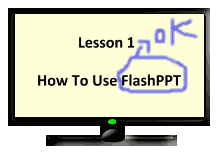
You can switch between System Mode and Drawing Mode easily and it also lets you manipulate contents by clicking, dragging on the whiteboard with the mouse and review information from any Windows-based application into the Whiteboard. SlideMate will be useful to make presentations more lively by highlighting the screen in various ways.