
If you like to have all your software updated down to the last decimal, this little tool is most certainly for you. Update Checker, The fastest way to find program updates, runs a quick scan on all the programs on your computer, then opens up a Web page and tells you which ones can be upgraded.
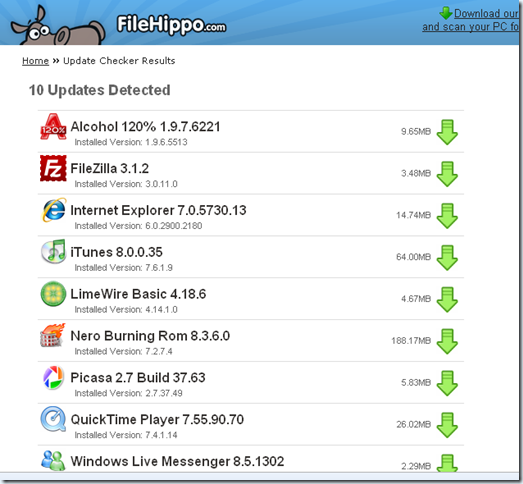
It’s not magic: the Update Checker Web site maintains a version number database of programs along with download information, which registered users can update. Upon a scan, Update Checker compares the version numbers there to those of the programs it finds. Next, a Web page with the download information for the new version is opened.
Update Checker runs on even Windows 98, provided you have .NET 2.0 framework installed. Get Upload Checker from the below Link.
Download Upload Checker
@stratosg
ya.. I will find an application for your need and will write about it for sure.
ya.. I will find an application for your need and will write about it for sure.
checked it out… it would be great if it automatically update too 🙁
woha… it really sounds like “sudo apt-get update” 🙂 niiiice find!