
The social networking platform Orkut has now has a feature to set a theme for your profile. It means you can make your own orkut themes of your choice as there are limited themes available. Here is an easy way to customize your profile by making your own Orkut themes..
All that you need to make your own theme is Firefox + Greasemonkey. With these you can build your own Orkut themes in just a few seconds. Here’s how:
1. The Greasemonkey should be installed firstly. here are the links.
Greasemonkey for Firefox 2 | Firefox 3
2. Go to this page, and enter the url of a valid image. ( You can get your images by googling images you want.
Take care that the image url should be correct and should match the width of the Orkut page or else the image will be repeated.
3. Click on the submit button and you’ll get the Greasemonkey script with the background image of your choice.
That’s it and the new theme will be yours. If you are already using an official theme, then make sure you switch back to the classic theme before using the custom Greasemonkey theme. You can configure the Greasemonkey add-on to remove the theme if you don’t like it.
Here is a list of Free Orkut Themes
These Custom themes will take more time to load because it has to fetch the image from an external source after the page is fully loaded. But if you want to be special then go for a change and make your profile unique.
Another Easy Method to Create Your own Theme :
Orkut Theme Generator lets you create your own orkut themes.
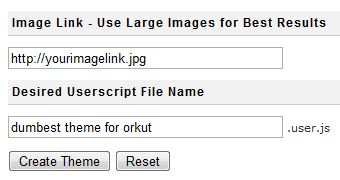
If you are interested to see a different theme in your orkut profile, go here and enter an image URl to use as a background image for your new theme and give a name to your theme and click create theme. Voila you now have the most beautiful orkut theme in the world.
Once you hit the button it will generate a userscript for the same, you can add this userscript to your browser to get the new theme. You need Greasemonkey addon for userscripts to work in Firefox.
themes
Happy Xmas. Let all your wishes may possibly come real for you personally along with your friends and family as well as lets expect your next yr become prosperous for anyone us. Merry Christmas
Hi plz tell me about it…
i want new orkut theam
i want new orkut theam…..
how to make frienda in an orkut