
You open frequently visited websites using the bookmarks toolbar or menu. You want to know whether you can open websites using a quick keyboard shortcut. You can open websites faster by using the bookmark toolbar. However, no browser offers the option for directly calling up websites using a hotkey ( keyboard shortcut ). Site Launcher, a free Firefox add-on, does this function.
Speed Dial for Firefox – Access Frequently Used Websites Easily
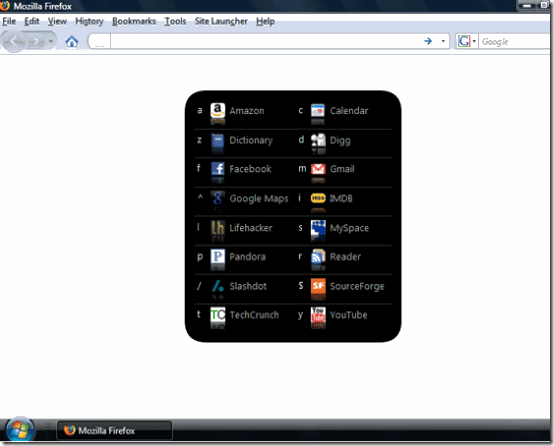
The add-on is very easy to use and immediately available with a few sample sites. Press the keyboard shortcut [Ctrl] + [Spacebar] to call up a selection. A window at the center of the screen displays the defined shortcuts in the form of recognizable icons, which you can instantly open in a new tab by pressing the assigned key.
Open the new command ‘Site Launcher > Manage Shortcuts’ to customize the site allocation. You can define a new shortcut below in the dialog box using the ‘Key’, ‘Title’ as well as ‘URL’ fields; you can add this new shortcut by clicking ‘Add Shortcut’.
If you want to delete a link that is not used, select it and click the cross symbol to its right. If you have already memorized the keyboard key associated with a given site, you can launch it immediately with a single keyboard combination: [Alt] + [Shift] + [Defined Key].
Check out our Firefox Section which has articles like 25 Best and useful Addons for Firefox you should install
Quite useful addon